Also by Outland Fabworks
BridgeIt
From photo to cut-ready SVG or DXF in minutes. Drop in any image and get clean vector paths with bridge tabs placed automatically.
Free · v1.6.10 · No account required
Windows · macOS M1+ · Linux
1
Drop your image
PNG, JPG, or SVG. Any logo, sketch, or design you want to cut
2
Remove the background
AI removes it in one click. Manual erase and lasso for tricky edges
3
Auto bridge generation
Floating islands detected and bridged automatically. Review before exporting
4
Export and cut
SVG for LightBurn / RDWorks, or DXF for Fusion 360 and FreeCAD
See It In Action
Photo to Cut-Ready File
Drop in any image. Background removed, paths traced, bridges placed in seconds.
Bridge Tab View
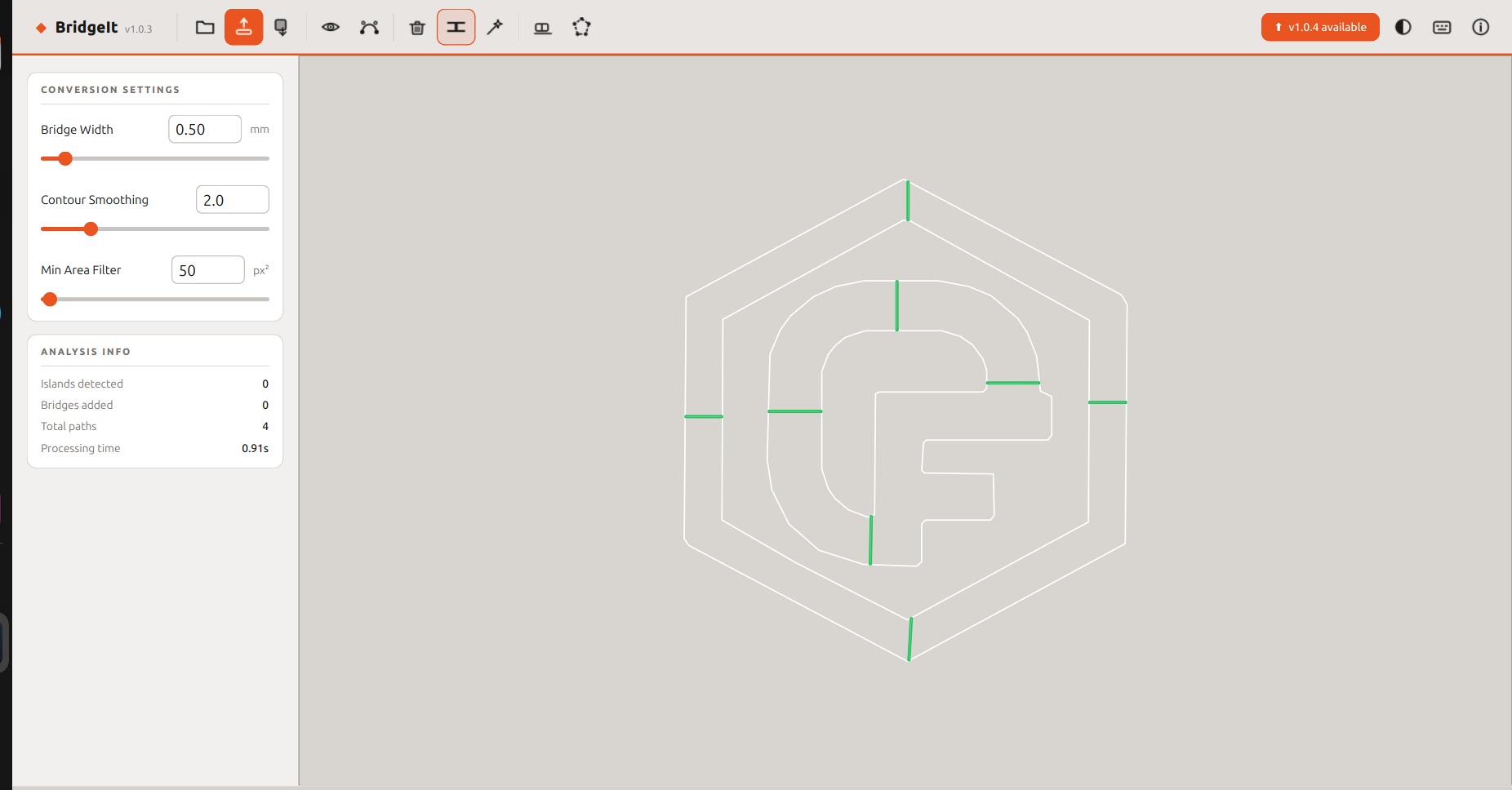
Automatic bridge detection
Green tabs mark where floating islands connect to the surrounding material so they stay in place during cutting. Reviewed and confirmed before export.
Background Removal
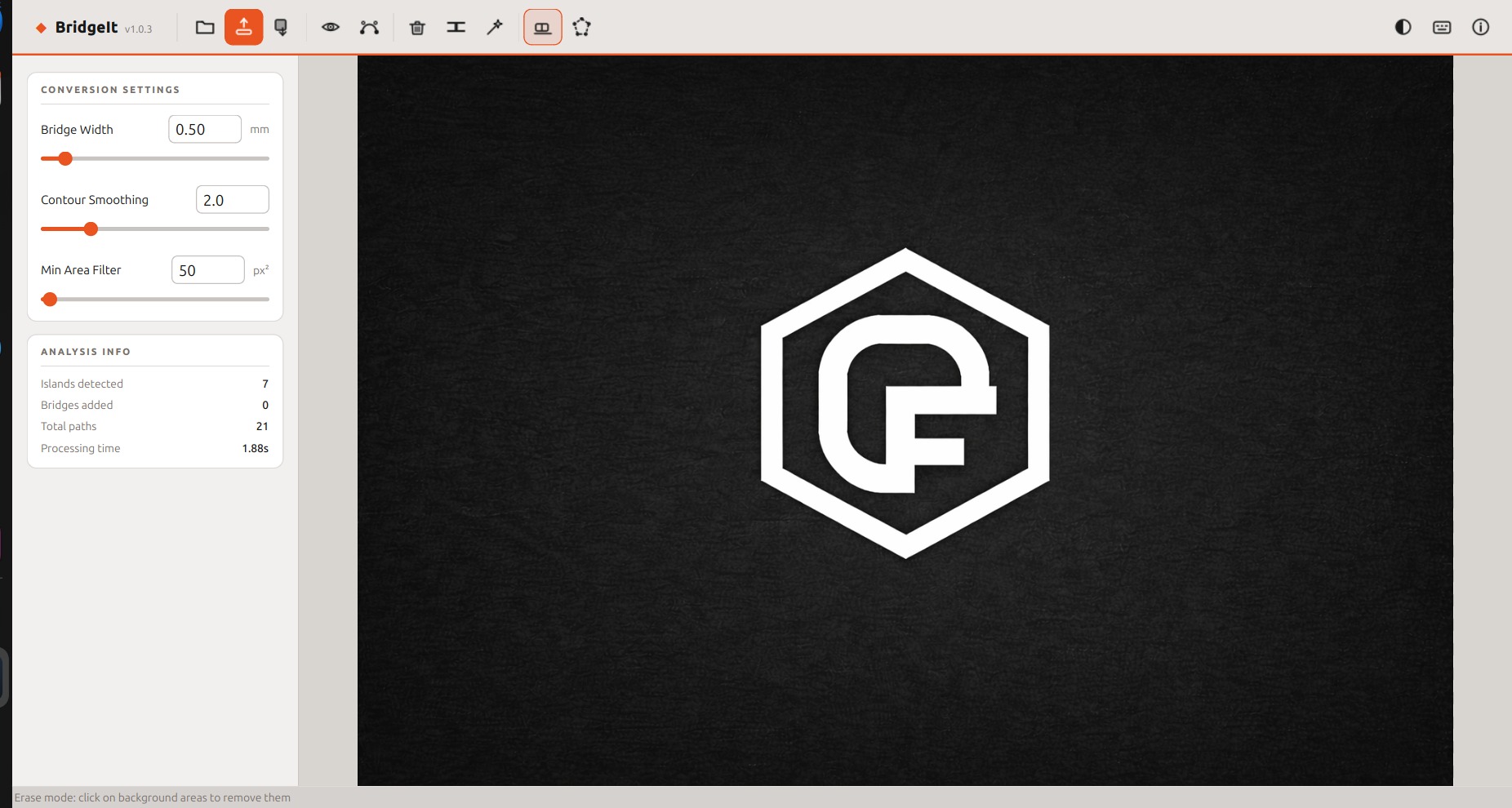
AI + manual background removal
One click removes most backgrounds automatically. Erase and lasso tools handle anything that needs cleanup.
Final Cut Paths
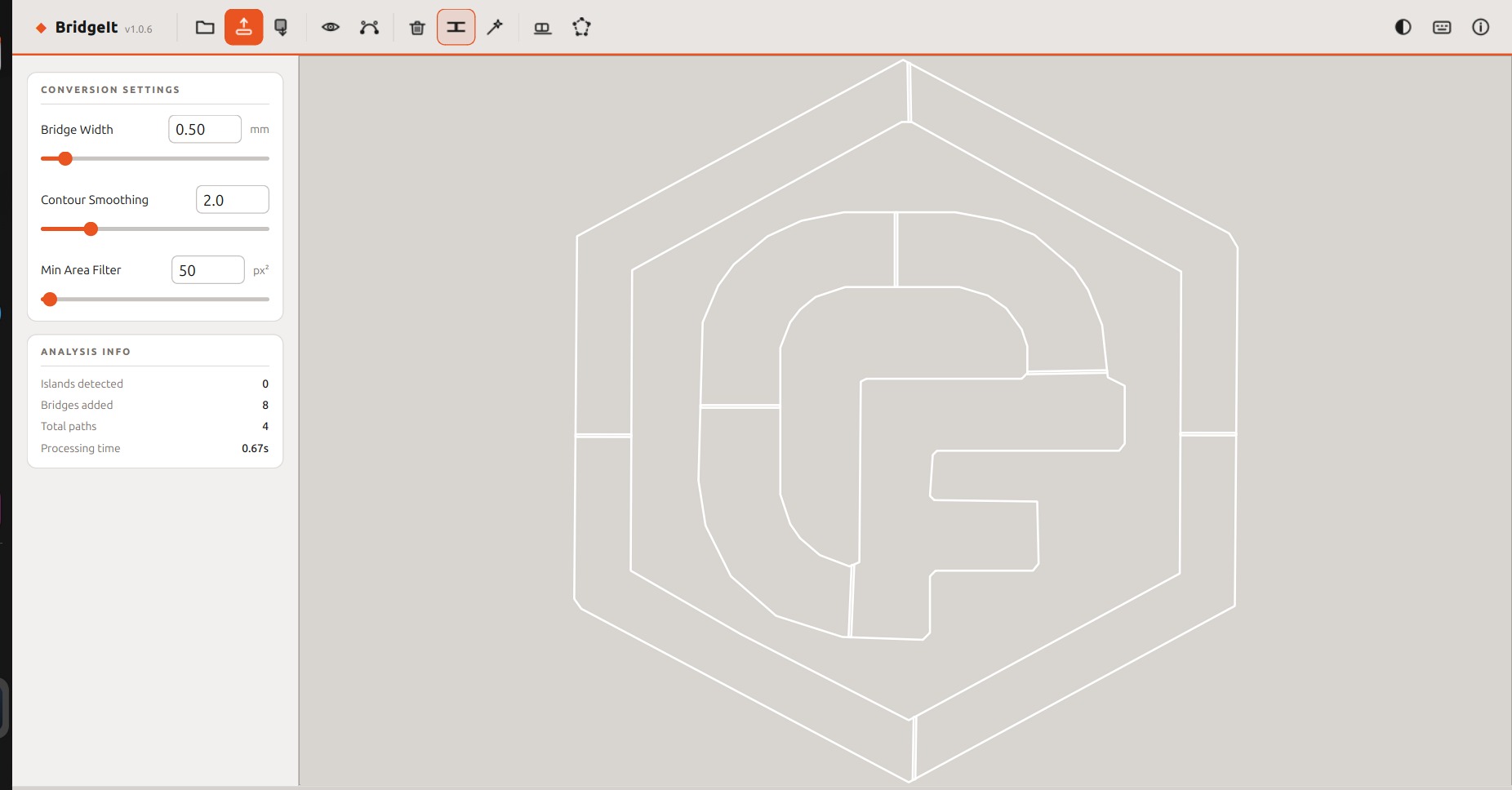
Clean SVG cut paths
Stroke-only paths with bridge tabs applied, ready to drop into LightBurn, RDWorks, or export as DXF for CAD.
What It Does
Built for Laser Cutters
Everything you need to go from image to cut-ready file without fighting your software.
AI Background Removal
Removes backgrounds automatically with a single click. Manual erase and lasso tools for tricky edges.
Smooth Vector Tracing
Traces your design into clean, smooth cut paths ready to drop straight into your laser software.
Auto Bridge Generation
Detects floating islands and suggests bridge tabs automatically. Review and confirm before exporting.
Image SVG Export
Export a filled, colored SVG matching the original artwork, perfect for vinyl cutting or print.
Cut-Path SVG Export
Stroke-only paths ready for LightBurn, RDWorks, or any laser cutter software.
DXF Export for CAD
Export a CAD-ready DXF that imports cleanly into Fusion 360, FreeCAD, AutoCAD, and SolidWorks with correct physical dimensions.
Free Download
Download. Extract. Done.
No installer, no account, no watermarks. Download the zip, extract it, and run it.
Windows
Windows 10+ · 64-bit
↓ Download .zip
macOS
Apple M1 or newer
↓ Download .dmg
Linux
Ubuntu 20.04+ · Debian 11+ · Fedora 36+
↓ Download .tar.gz
~500 MB · Includes everything needed to run · v1.6.10
Questions
FAQ
What is a floating island?
An interior piece with no connection to the surrounding material. It falls away when cut. BridgeIt detects these automatically and adds bridge tabs to hold them in place.
Does it work with LightBurn?
Yes. BridgeIt exports standard stroke-only SVG files that import directly into LightBurn and RDWorks.
Can I use the DXF in Fusion 360 or FreeCAD?
Yes. The DXF export uses correct millimeter dimensions and imports cleanly into Fusion 360, FreeCAD, AutoCAD, and SolidWorks.
Is it really free?
Completely free. No feature limits, no watermarks, no account required. If it saves you time, there's an optional Ko-fi link in the app.
Why is the download ~500 MB?
BridgeIt bundles the AI background removal model, all libraries, and the runtime so it works out of the box with no setup.
What image formats are supported?
PNG, JPG, and SVG. Any logo, sketch, or design you want to turn into a laser-ready cut file.
Also from Outland Fabworks
We Also Make the Parts
Outland Fabworks makes precision-cut fabrication parts for VW/Audi and Land Rover platforms, built in Ontario, Canada. If you're cutting your own hardware, we've got the proven stuff too.